1
Install and open Download from Google Play. Guest mode is enough. Bookmarks, recent cases and saved PDFs stay on that phone. Nothing is synced to an eTribunals account.Android · independent companion
Public tribunal records, on one phone.
eTribunals reads case status, cause lists, orders and judgements from the public websites of 16 Indian tribunals. You follow a matter on the device. There is no account, and this is not a court.
The button and the QR code already point at this app’s Play Store page. It opens for everyone once the public release is live.
How to use
From install to the hearing you are watching.
The app has four tabs: Tribunals, My Cases, Today and More. You do not sign in.
2
Pick a tribunal On Tribunals, open the court. Each one has its own tools, listed further down this page. Search the way that court’s site expects: bench, case number, party, or date.3
Open the record Use case status, cause list, orders, judgements, notices or the display board. If the official page asks for a captcha or the layout cannot be read, use Open official site on that screen.4
Follow the matter Open the case and bookmark it. It stays on My Cases. Share from the case card sends the parties and the next listing.5
Check Today Today shows hearings for cases you follow, plus shortcuts to public cause lists and display boards. Pull down to refresh. NCDRC and CGIT can mark “Date changed”. Other courts keep the date you saved until you open the case again.6
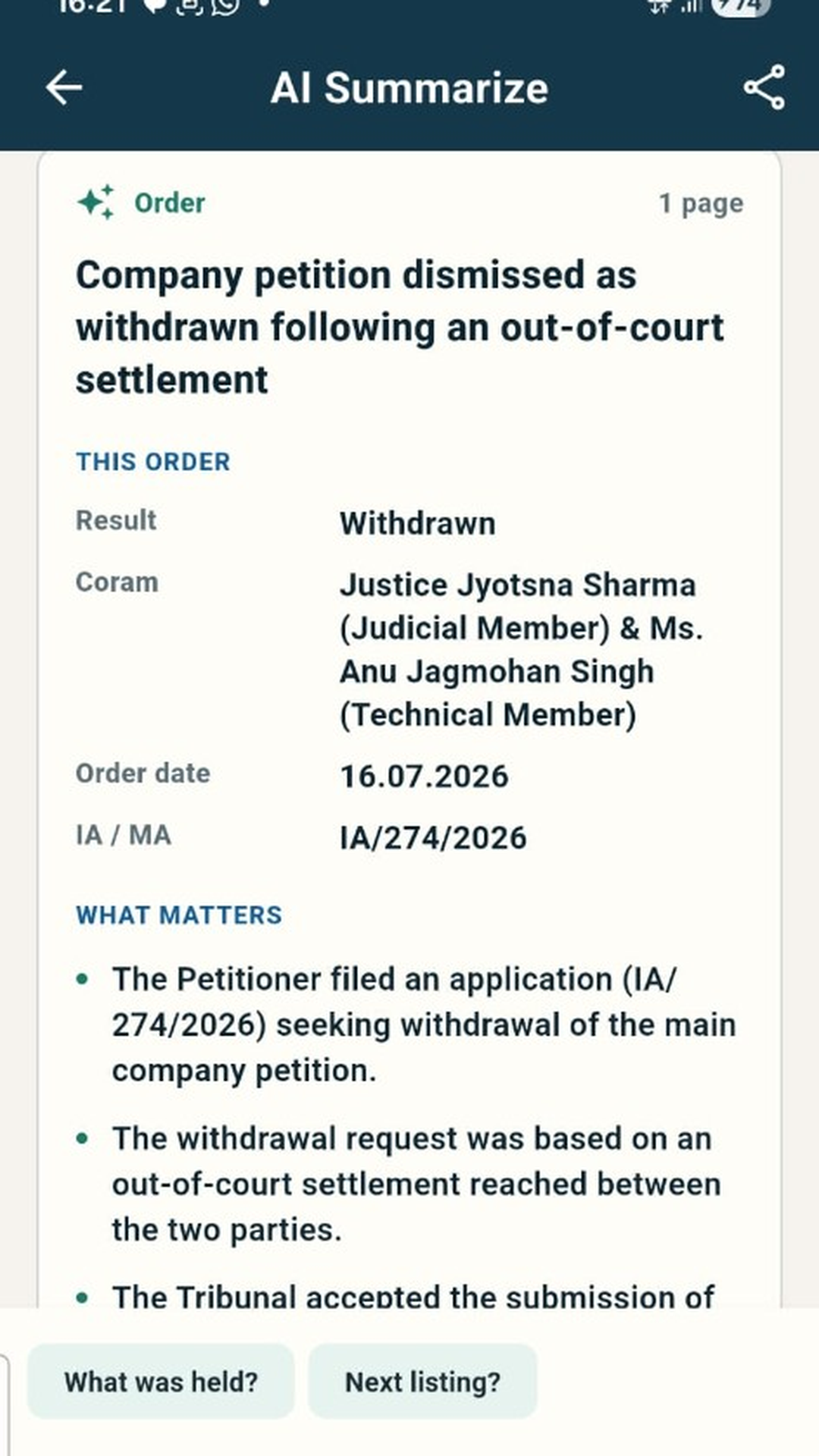
Read an order Open a PDF and tap AI Summarize. The app lists the result, held points and operative directions, then a box for a short question about that same PDF. You do not paste an API key. The summary is a draft reading, not advice.7
Keep the file The download icon saves the PDF on the phone. Recent saves appear on More. Live lists and new searches need internet. Followed cases and saved PDFs remain on the device.8
Set a reminder On More, turn on hearing reminders. The phone can notify you at 7:00 pm the evening before and at 8:00 am India time on a saved listing date. That is not a court notice. Use Send a test alert if nothing appears. Allow alerts if Android has blocked them.Features
What the app actually does.
16 tribunals
Tools inside each court.
Names below match the buttons in the app. Records are copied from the public site of that tribunal. Verify there before you file, pay a fee, or rely on a date.
NCLAT
National Company Law Appellate Tribunal · Delhi and Chennai
Display boardTrack case statusCause listJudgements / ordersJudgements before May 2021Daily orders before May 2021Registrar orders before May 2021Court noticesCirculars & notificationsActs & rules
Official siteNCLT
National Company Law Tribunal
Display boardTrack case statusCause listJudgements / ordersNotificationsCirculars
Official siteUPREAT
UP Real Estate Appellate Tribunal, Lucknow
Track case statusCause listJudgements / orders
Official siteNGT
National Green Tribunal
Track case statusCause listJudgements
Official siteRCT
Railway Claims Tribunal
Track case statusCause listJudgementsDisplay board
Official siteDRT
Debts Recovery Tribunal
Case detailsCause listOrdersCase transfer
Official siteCAT
Central Administrative Tribunal
Case statusCause listDaily orderOral and final order
Official siteITAT
Income Tax Appellate Tribunal
Case statusTribunal ordersNotice boardSpecial bench orders
Official siteCESTAT
Customs, Excise and Service Tax Appellate Tribunal
Case detailsCause listCourt proceedingsDaily ordersFinal ordersFinal order searchDisplay board
Official siteTDSAT
Telecom Disputes Settlement and Appellate Tribunal
Case statusCause listDaily ordersJudgmentsRecord of proceedings
Official siteAPTEL
Appellate Tribunal for Electricity
Case statusCause listDaily ordersOrders / judgementsDisplay board
Official siteSAT
Securities Appellate Tribunal
Case statusCause listOrders
Official siteAFT
Armed Forces Tribunal
Case statusCause listDaily ordersJudgements
Official siteNCDRC
National Consumer Disputes Redressal Commission
Case statusCause listDaily ordersJudgementsDisplay board
Official siteATFP
Appellate Tribunal under the Prevention of Money Laundering Act
Cause listOrdersJudgements
Official siteCGIT
Central Government Industrial Tribunal
Cause listAwards / orders
Official siteOn the phone
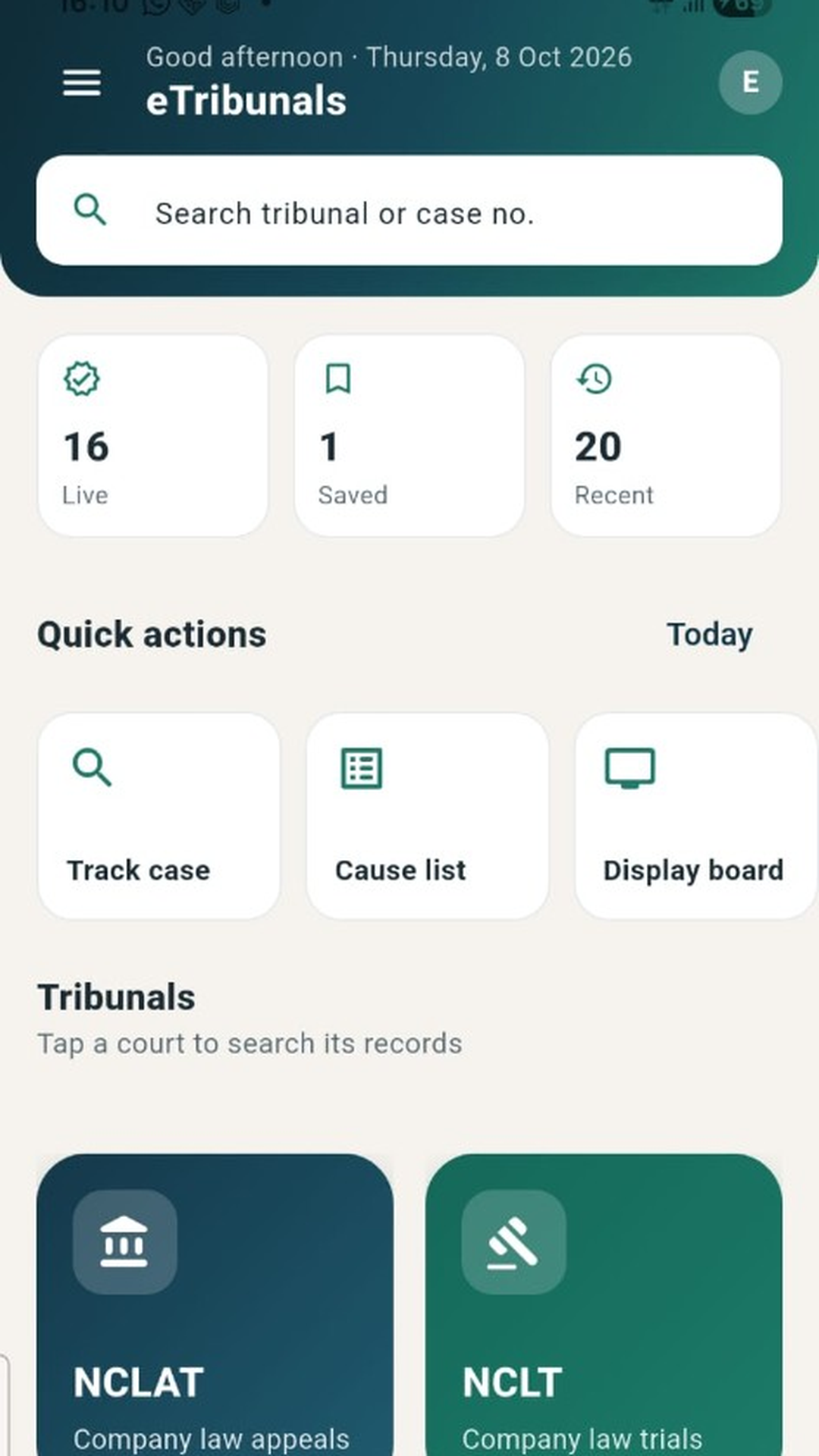
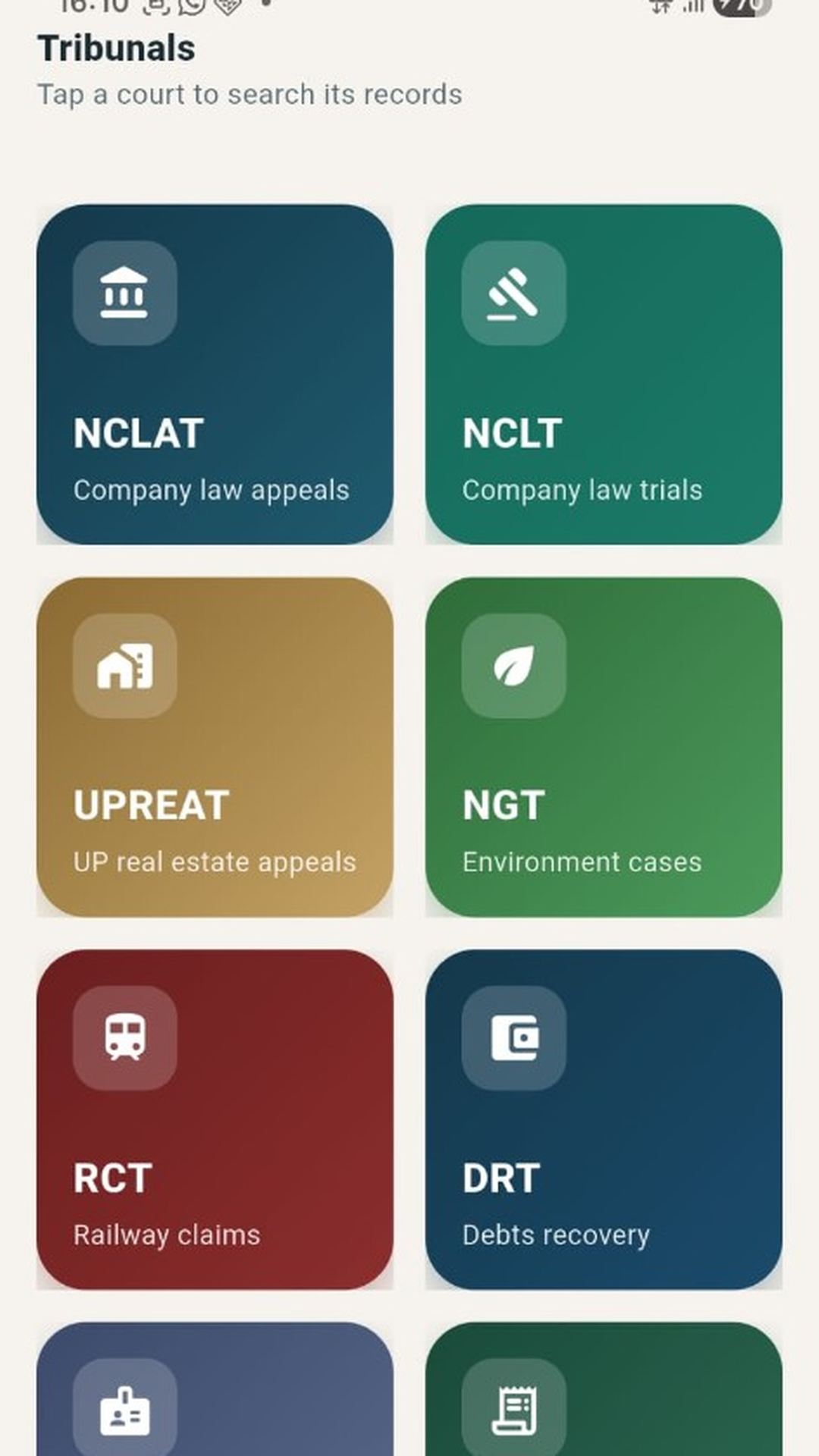
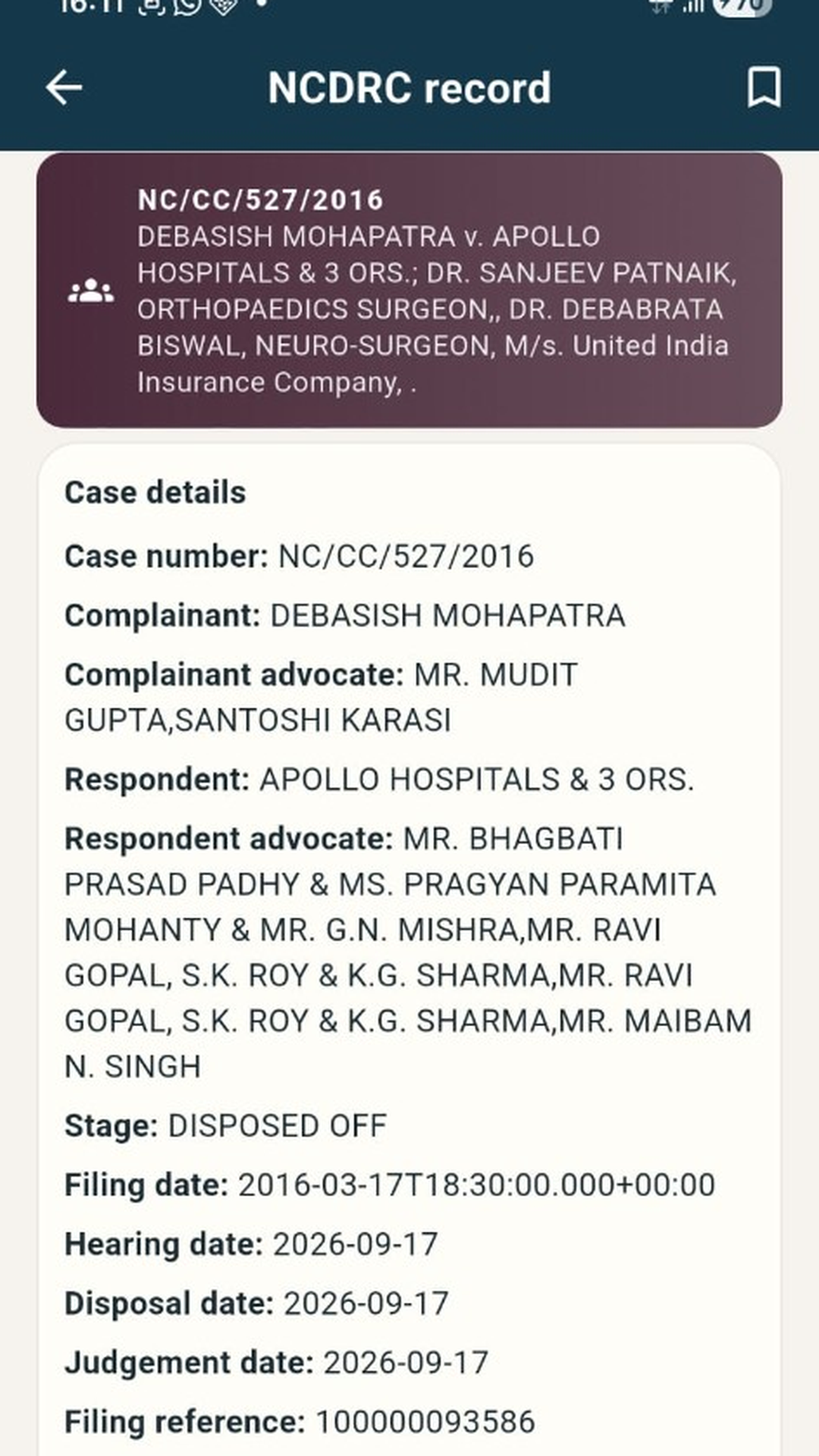
Screens from the app.
These are the Play Store captures. Home is where Today opens. There is no separate Today screenshot in the store set.
Help
The same answers as in the app.
What is AI Summarize?
Open an order, judgement or other PDF in the app and tap AI Summarize. The app lists the result, held points and operative directions. You can then ask a short question about that same document.
Do I need an API key for AI?
No. AI Summarize is built into eTribunals. You do not paste a Gemini key.
Is the AI summary legal advice?
No. It is a draft reading of the PDF. Always open the official file before you file, pay a fee, or rely on a date.
What can I ask after a summary?
Use the box under the summary — for example what was held, next listing, relief or costs. Answers stay limited to that PDF. If the order does not say, the app will say so.
How do I follow a case?
Search a tribunal, open the matter, then bookmark it. It stays on My Cases on this phone. Share from the case card if you need to send parties and the next listing.
What is on the Today tab?
Hearings for cases you follow, plus cause lists and display boards the court publishes that day.
Where are bookmarks saved?
On this phone only. There is no login and no cloud copy. Uninstalling the app can delete them.
Why is there no sign-in?
Guest mode is enough to search public records and follow a case on one device. An account is not required.
When do listing dates refresh?
Pull down on My Cases or Today. eTribunals can refresh next dates for NCDRC and CGIT bookmarks. Other courts keep the date you saved until you open the case again.
Where do saved PDFs go?
Use the download icon on a PDF. Files are stored on this phone. Recent saves appear on the More tab.
Why is a search incomplete or asking for captcha?
Some official sites require a captcha or a layout this app cannot read. Use Open official site for that court.
When should I open the official site?
Before filing, if a page looks empty, if a PDF fails, or if the listing date looks wrong. The court website is the source of truth.
Does this work without internet?
Followed cases and saved PDFs stay on the phone. Live lists and new searches need a connection to the official site.
How do hearing reminders work?
If reminders are on (More tab), this phone can notify you at 7:00 pm the evening before and 8:00 am Asia/Kolkata on a saved listing date. That is not a court notice. Use Send a test alert if nothing appears.

Download
Get eTribunals on Android.
Scan the code or open the store page. Package com.zrh.etribunals.etribunals.
The public listing is not live yet. This link and QR are the page people will use when the production release is published. Until then, Play may say the app is unavailable.
Disclaimer
eTribunals is an independent companion. It is not a government website, not a court, and not legal advice. Cause lists, case status, orders and PDFs come from public tribunal sites. Those sites can change, go down, or disagree with this app. Open the official site before you file, pay a fee, or rely on a date. A reminder on the phone is not a court notice.
Privacy and ads
The app does not create an account. Bookmarks and saved PDFs stay on the phone. This website shows Google AdSense ads, which may use cookies to measure and personalise advertising. AI Summarize in the app sends the open PDF, or its text, to Google Gemini. No Gemini key is collected from you.